







iOS 27 Public Beta is now live
Published Jul 15, 2026 02:36 pm


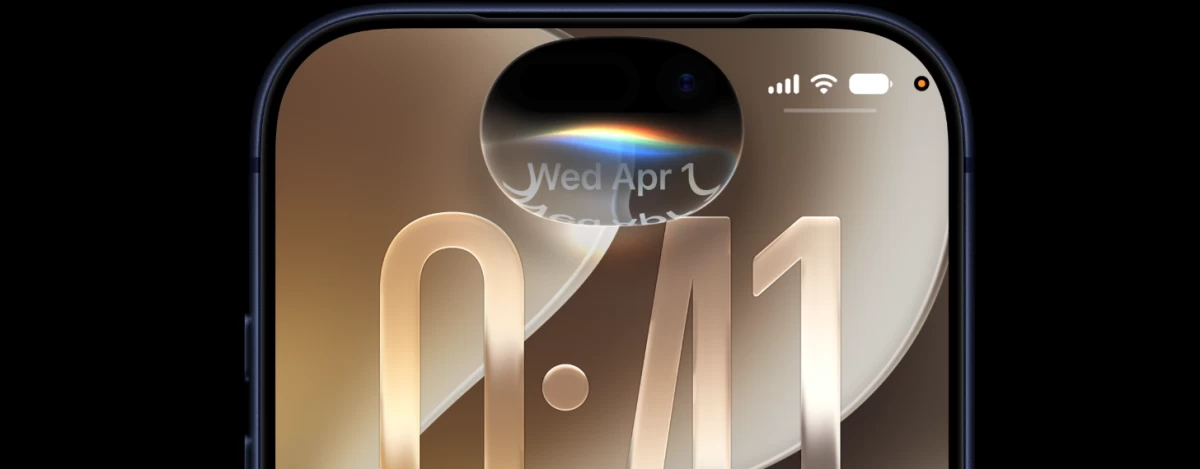
If you're interested in trying out the upcoming iOS 27 early, then you should know the Public Beta is currently live.
The prominent update you will be getting here is a total Siri overhaul, which now acts more like a proper assistant that was promised to us over ten years ago.
What is the iOS 27 Public Beta?
Apple has opened public beta enrollment for iOS 27, giving everyday iPhone owners early access to features that were previously limited to developers. The software has already gone through several developer beta rounds, and Apple says this release is one of its most stable pre-release builds in recent years. Still, as with any beta, Apple recommends installing it on a secondary device rather than your primary iPhone, and backing up your data first.
iOS 27 supports every iPhone that currently runs iOS 26, including the iPhone 11 and later, plus the second-generation iPhone SE and newer. However, the AI features require an iPhone 15 Pro or newer, and some of the most advanced capabilities are limited to the iPhone 17 Pro, iPhone 17 Pro Max, and iPhone Air.
Siri AI: The star of iOS 27
The biggest change in iOS 27 is the long-awaited rebuild of Siri, now marketed as Siri AI. Apple has transformed its voice assistant from a simple command tool into a full conversational AI assistant. Key upgrades include:
Contextual, multi-turn conversations — you can ask a follow-up question without repeating yourself.
On-screen understanding — Siri can reference whatever is currently displayed on your phone.
Cross-app search — Siri can dig up specific details buried in Mail, Messages, Notes, Reminders, and Calendar.
Action-taking — Siri can complete multi-step tasks inside apps rather than just answering questions.
Voice customization — new controls let you adjust Siri's pace and expressivity under Settings > Siri > Voice, which also affects spoken responses in Maps and Safari.
There's also a new standalone Siri app that stores your conversation history. For now, Siri AI only supports select English variants, requires an Apple Intelligence-compatible device, and won't be available in the EU at launch.
Performance gets a major boost
Even users who skip the AI features should notice a difference. Apple says apps can launch up to 30% faster, newly captured photos appear in the Photos app up to 70% faster, and AirDrop transfers can complete up to 80% faster. Early testers report that animations, keyboard responsiveness, and Home Screen swiping all feel noticeably snappier compared to iOS 26.
End of the day, would people even notice?
New Apple Intelligence features across Photos, Safari, and Camera
Apple Intelligence expands well beyond Siri in this release:
The Photos app gets three new editing tools. These are Clean Up, Extend, and Spatial Reframing. Clean Up removes unwanted background details. Extend will generate a background that would seamlessly blend with the image. This only extends the edges, and helps users get a better aspect ratio they need. Spatial Reframing is more interesting, as users can reframe the image. For instance, you have an image of an apple, you can reframe it as if the picture was taken from different angles.
Camera app: A new Siri-powered Visual Intelligence mode can turn a photographed barcode into a Wallet pass or pull event details from a flyer.
Passwords app: Can now automatically replace weak or compromised saved passwords.
Shortcuts app: You can now describe what you want a shortcut to do in plain language, and AI will build it for you, with manual editing still available for power users.
Smaller changes worth knowing
Beyond the AI headliners, iOS 27 beta testers have flagged several quality-of-life improvements:
AirPods custom EQ, letting you fine-tune lows, mids, and highs on AirPods 4, AirPods Pro 2, AirPods Pro 3, and AirPods Max 2.
Landscape support added to more apps, including Weather, Health, Fitness, and Music.
Notes app now supports links to specific sections within a note.
Wallet app can generate a custom digital pass by scanning an existing physical or digital one.
RCS messaging improvements, including replying to specific messages in a conversation with an Android user.
Should you install the iOS 27 Beta?
Unless you are a total hardware and software fan, then no. Despite being a more polished version of the OS, it is still not the final product. It may still show bugs, causing crashes, wild battery drains, and certain apps may not work properly.
If you will insist on trying it out, we always do recommend using it with a secondary iPhone.
To install it, sign up through Apple's Beta Software Program, then go to Settings > General > Software Update and select the iOS 27 Public Beta when it appears.
When does iOS 27 officially launch?
Apple plans to release iOS 27 to the general public in September 2026, alongside new iPhone hardware, including the much rumored and highly anticipated iPhone Ultra. Between now and then, expect additional beta updates as Apple continues refining Siri AI and fixing bugs.