






Manila Bulletin
 Technews
Samsung Galaxy S26 Ultra leading the way in smarter security with Galaxy AI
Technews
Samsung Galaxy S26 Ultra leading the way in smarter security with Galaxy AI
Technews
Samsung Galaxy S26 Ultra leading the way in smarter security with Galaxy AI
Samsung Galaxy S26 Ultra leading the way in smarter security with Galaxy AI
Published Apr 29, 2026 02:54 pm


Confession. I didn’t jump on the AI wagon right away; it took a while. It was like dipping my feet in the water to check the temperature before going in for a swim. Slowly, I started exploring and using AI features such as AI-erase in photos, transcription, and captioning. These, of course, barely scratch the surface of what AI can do, and what made me wade into the water a little deeper was getting to know the Samsung Galaxy S26. I have been using the Galaxy S26 Ultra variant, and even brought it with me during a recent trip to South Korea.
During a photo opportunity, there was a hanbok we could wear, and I didn’t want to make people wait on me, so I just wore the top part over my clothes. The people assisting us and taking the photo were probably just being too polite to this naive tourist, since they didn’t say anything, but looking at the photos, I looked silly. Instead of beating myself up about it, I used the Galaxy S26 Ultra’s Photo Assist, gave an easy prompt-"put a traditional hanbok skirt on me" —and tadah! It worked! I no longer have to look at the photo with regret; it's now a nice, fun reminder of our trip..
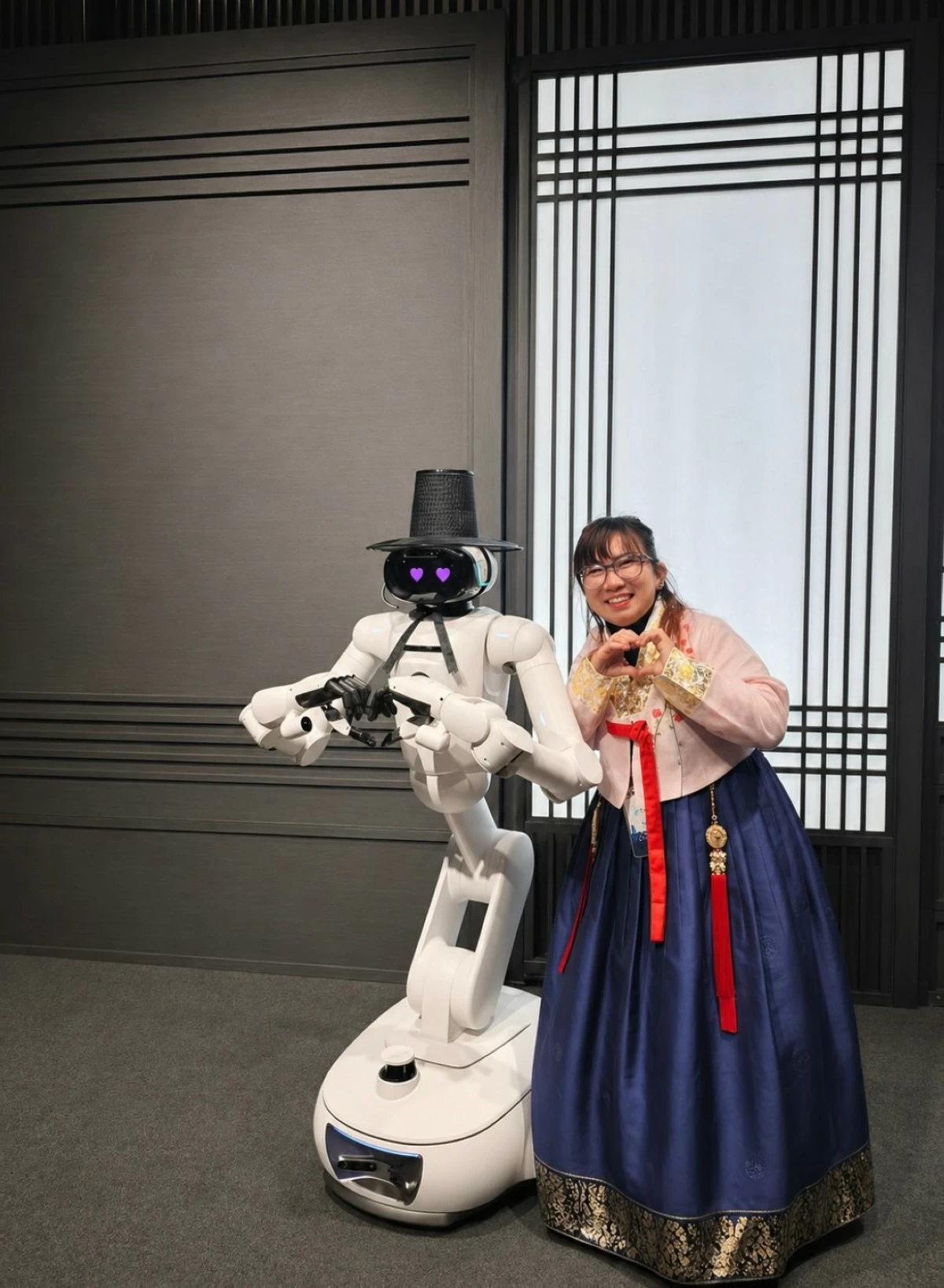
If you haven’t tried Galaxy AI’s create feature, try it. It really is a wow moment, and there were more wow moments with the Galaxy S26 Series, which is why I was thrilled to have corresponded with Mr. Roman Han, President of Samsung Electronics Philippines, to discuss how the Samsung Galaxy S26 series helps users to do more with less effort through its AI features.
Privacy beyond the screen
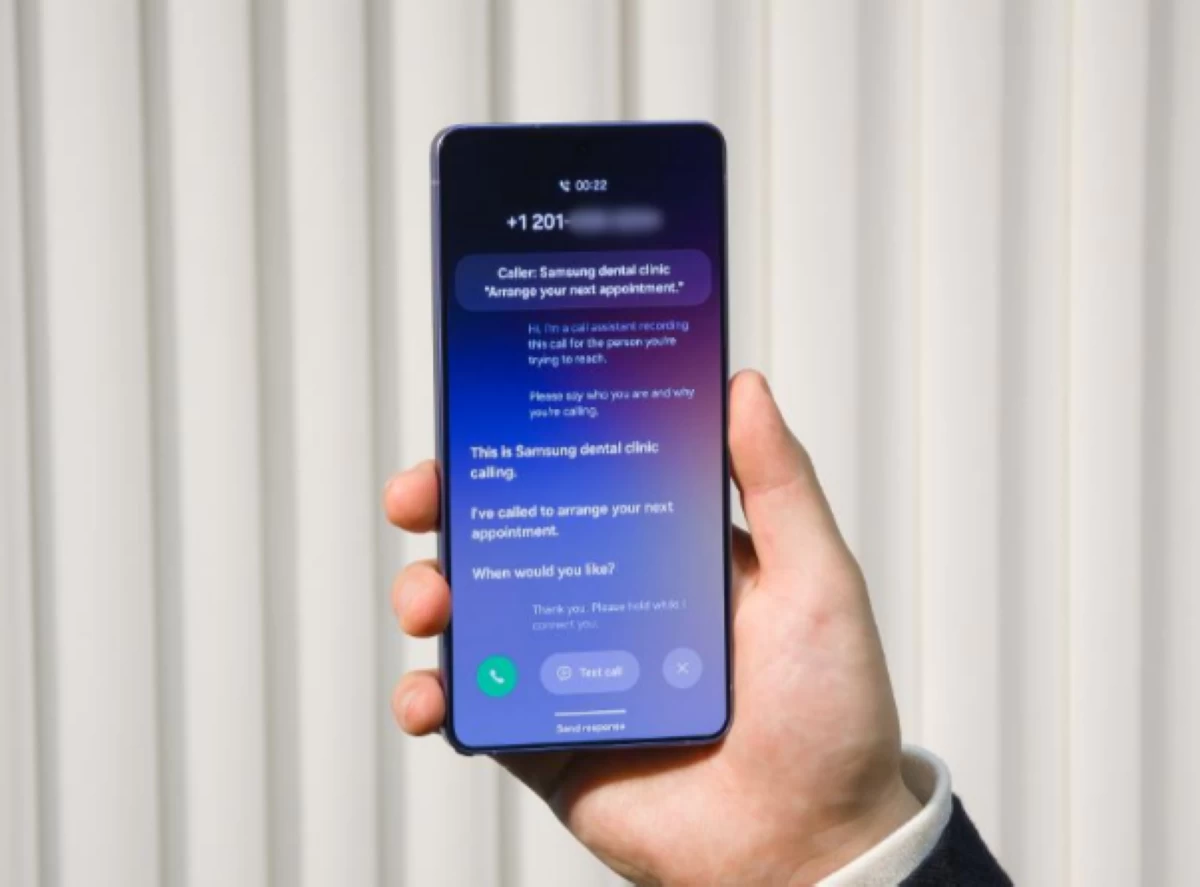
When the Samsung Galaxy S26 first came out, there was much buzz and excitement about its Privacy Screen, the world’s first built-in privacy screen on a smartphone. No need to worry about onlookers trying to get a peek at your digital banking apps. But beyond its privacy screen, the Samsung Galaxy S26 also offers added security, such as its Call Screening feature, a Galaxy AI feature that answers unknown calls and lets you know who is calling and why. This allows you to dodge calls that may be spam or that you don’t want to take.
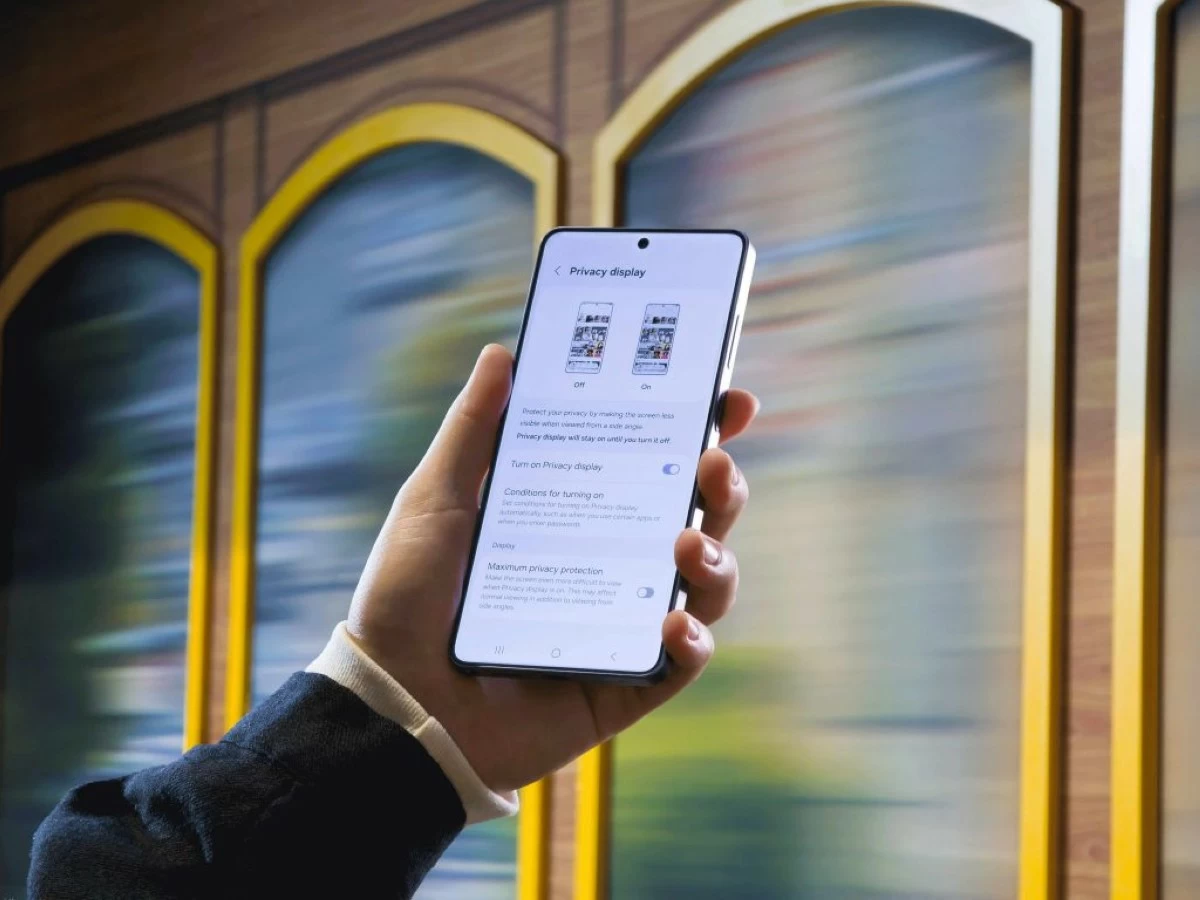
I asked Mr. Han why they chose to prioritize the privacy call screening feature. And how do they ensure that this feature remains intuitive and accessible instead of being an added stressor for everyday users?
To which Mr. Han said: “We prioritized privacy call screening because it solves a universal problem, and especially pressing here in the Philippines, where voice phishing and spam calls remain widespread.”
Less effort and maximizing the ‘Now’
I have long heard of the Samsung Galaxy’s ‘Now Brief’ and ‘Now Nudge’ features, so it was nice to get more insight from Mr. Han on this, by asking him: “How does Samsung define ‘less effort’ from the user’s point of view?
“For us, 'less effort' is defined from the user's lived experience. On one level, it means proactivity. The Galaxy S26 series, powered by Galaxy AI, builds a deeper understanding of how you use it over time and surfaces relevant suggestions before you have to go looking, especially with the Now Nudge and Now Brief features. The phone learns your patterns and acts on them, reducing the mental load of having to manage everything manually.
Mr. Han continued to expound that the design of both hardware and software was intended to deliver reliable performance, enabling anytime, anywhere access. A customized chipset, advanced display technology, and best-in-class camera system provide the foundation, while Galaxy AI enhances creativity, productivity, and communication through familiar touchpoints. The result is an experience where everyday tasks take fewer steps, feel effortless, and give users confidence that their device is ready to support even more advanced AI capabilities as they evolve.
Curious about the trade-off between convenience and privacy, I asked Mr. Han how they ensure that increased convenience doesn’t come at the cost of user privacy.
To which Mr. Han replied: “It's a fair tension to acknowledge — because yes, the more your device knows about you, the more useful it becomes. But we don't think convenience and privacy have to be in conflict. That's a design choice, and it's one we've been very intentional about.”
Mr. Han further explained: “The foundation of how we handle this is that the intelligence lives on your device, not in the cloud. The Personal Data Engine in the Galaxy S26 series learns your habits and preferences locally, which powers features like Now Nudge, Now Brief, and Natural language photo search, among others. And for features that do involve cloud processing, we have security measures in place to ensure your data remains protected there as well.”
He also explained Knox Enhanced Encrypted Protection (KEEP), which creates encrypted, app- specific storage environments within the device’s secure area. This ensures that each app can only access its own data. These insights are further secured by Knox Vault, which is Samsung’s tamper-resistant hardware security environment.
With One UI 8.5, users also gain access to intelligent Privacy Alerts on the Galaxy S26 series and other Galaxy devices, designed to address growing data privacy challenges in the age of AI. Privacy Alerts proactively flag potential threats that could expose sensitive user information – with all analysis performed on-device to ensure personal data stays private. It informs users in real time of potential risks, providing clear, actionable insights without blocking apps.
The Galaxy S26 introduces two types of Privacy Alerts: Location Alerts, which flag apps that unnecessarily access precise, real-time location data, and App Access Alerts, which detect unusual access to sensitive details like call logs or messages by apps with admin privileges.
These alerts help users protect personal information, limit unwanted data exposure, and maintain control. More alert types will be added in future updates.
Taken together, it represents Samsung’s commitment. Convenience and privacy aren't competing values in their design philosophy. They're both non-negotiable.
And with the increasing number of new ways that scammers try to fish and steal data, every added layer of security is a big reassurance.
With Samsung taking on the global stage, I had to ask how their global experience shaped the direction of the new Galaxy AI features.
Mr. Han said: “Our global research was really the starting point for how we defined the direction of Galaxy AI in the Galaxy S26 series. What stood out most wasn't just how many people are interested in AI, but the gap between interest and confidence. In a recent study, we found that 81% of people recognize the value AI can bring to their lives, but 85% feel it's too complex to fully master. That 'confidence gap' is significant, and it told us exactly where the work needed to happen.”
“So we built Galaxy AI around three principles — intuitive design, adaptive intelligence, and interactions that understand what you mean, not just what you say, without requiring technical expertise, making it user-friendly. That's what we mean when we call it the easiest device ever. Not simpler. Just smarter, in all the right ways.” Mr. Han said.
I started dipping my toes in the water, trying out simple Galaxy AI features, before wading in a little deeper with the help of the Galaxy S26 Series. While there are constant changes and updates on the AI frontier, I think it’s important to find out what works for you. Audio Erase and Creative Studio are fun Galaxy AI features to play around with and try, but like I said earlier, it only scratches the surface.
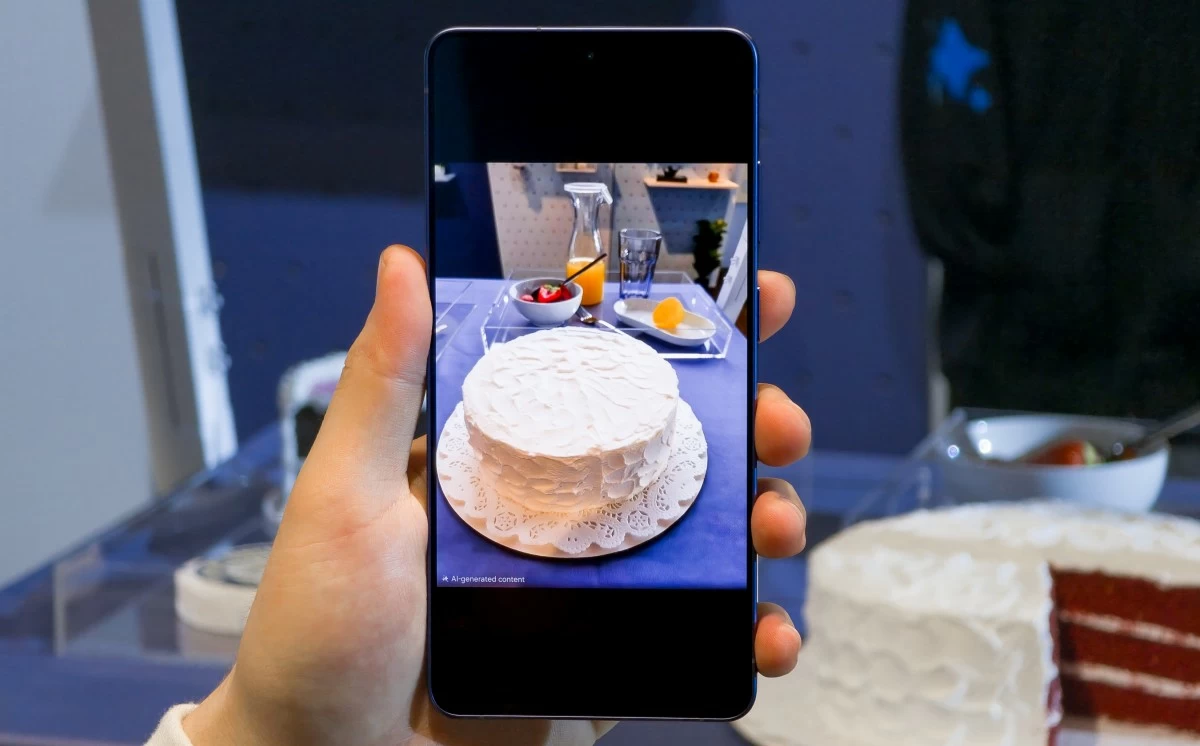
Having AI features like Call Screening, Now Brief, and Now Nudge are the game changers that can help you make the most of your day, letting you get to the more important tasks while Galaxy AI takes care of the mundane ones.
I didn’t expect my Galaxy AI story to be about fixing a photo during my trip to Korea, but there
you are. What’s your Galaxy AI story? I’d love to hear it.