







How to setup your Google Wallet
Published Nov 20, 2025 09:57 am


Google Wallet is out and now you can make contactless payments across the country.
To set it up, first you might ensure you have the Google Wallet downloaded on your Android phone.
Next tap “Add Payment Card” this will lead you to the Google Pay section where you can scan your payment card.
Or if you prefer, you can manually input the card’s details, such as card number and date of expiry.
You may get an OTP to confirm your actions. Sometimes, a bank may reach out for verification. Just a small reminder, with our Data Privacy law, if someone calls you asking for your bank information, you can refuse them. Banks are required to verify your information through secure means.
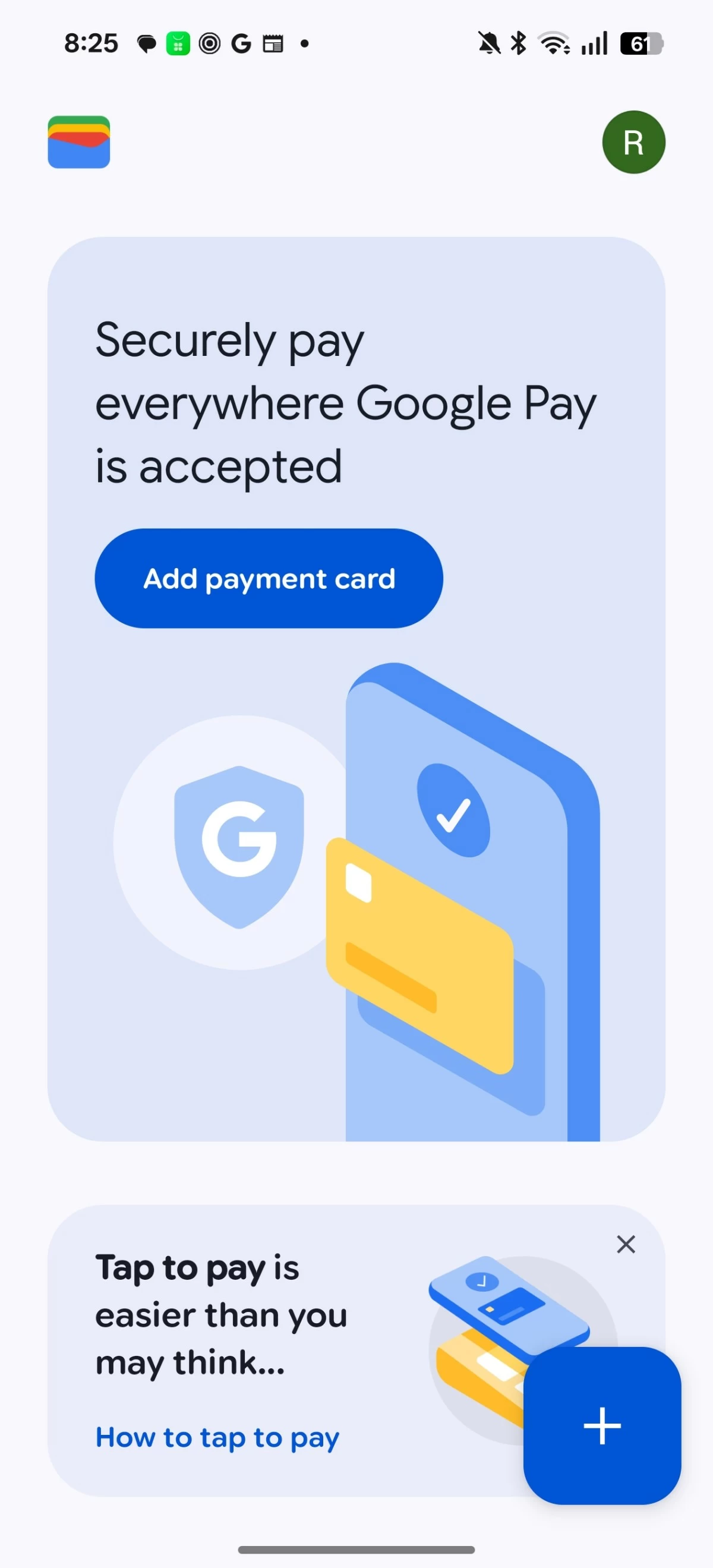
Now, when you’ve been verified, the card is now stored in your Google Wallet and ready for contactless payments.
It should be noted that Google Wallet is supported from Android 9 and later. Your device would also need an NFC chip. But I believe most, if not all, Android phones these days have NFC anyway, so you shouldn’t have any worries about that.
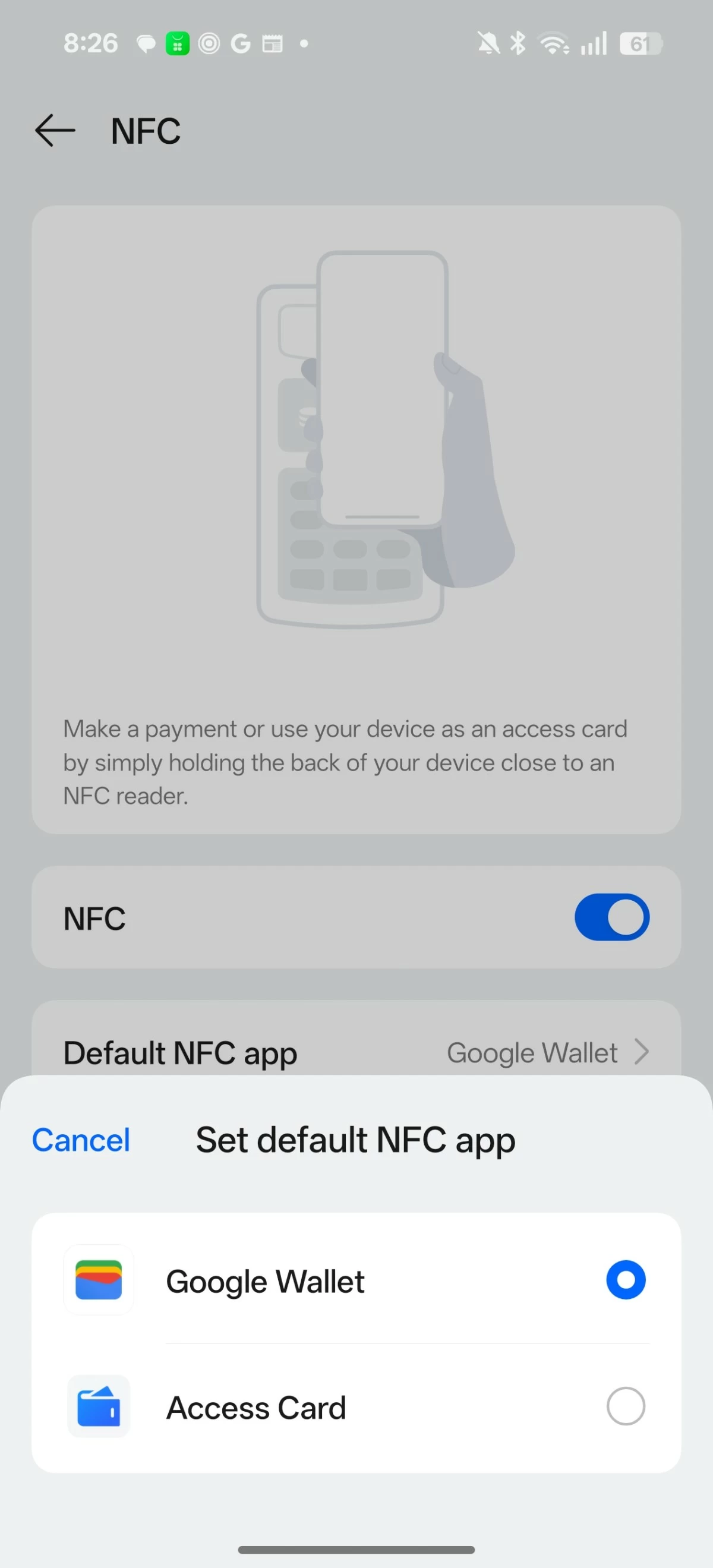
Make sure your default NFC app is Google Wallet. This can be done in the Settings, just search for "NFC"
As of now, these are the partners that support Google Wallet:
VISA and Mastercard cardholders of ChinaBank, EastWest Bank, RCBC Bank, and Zed.
VISA cardholders of GoTyme, Maya, UnionBank, and Wise.
Mastercard card holders of GCash and Zed.
For clarity, the GCash and Maya mentioned above, means the physical cards from those e-wallets and not the e-wallets themselves.
Google Wallet will also let you store boarding passes, movie tickets, and loyalty cards.