ADVERTISEMENT

Should you charge your phone at the airport? Maybe not.

Published Sep 3, 2025 07:35 am
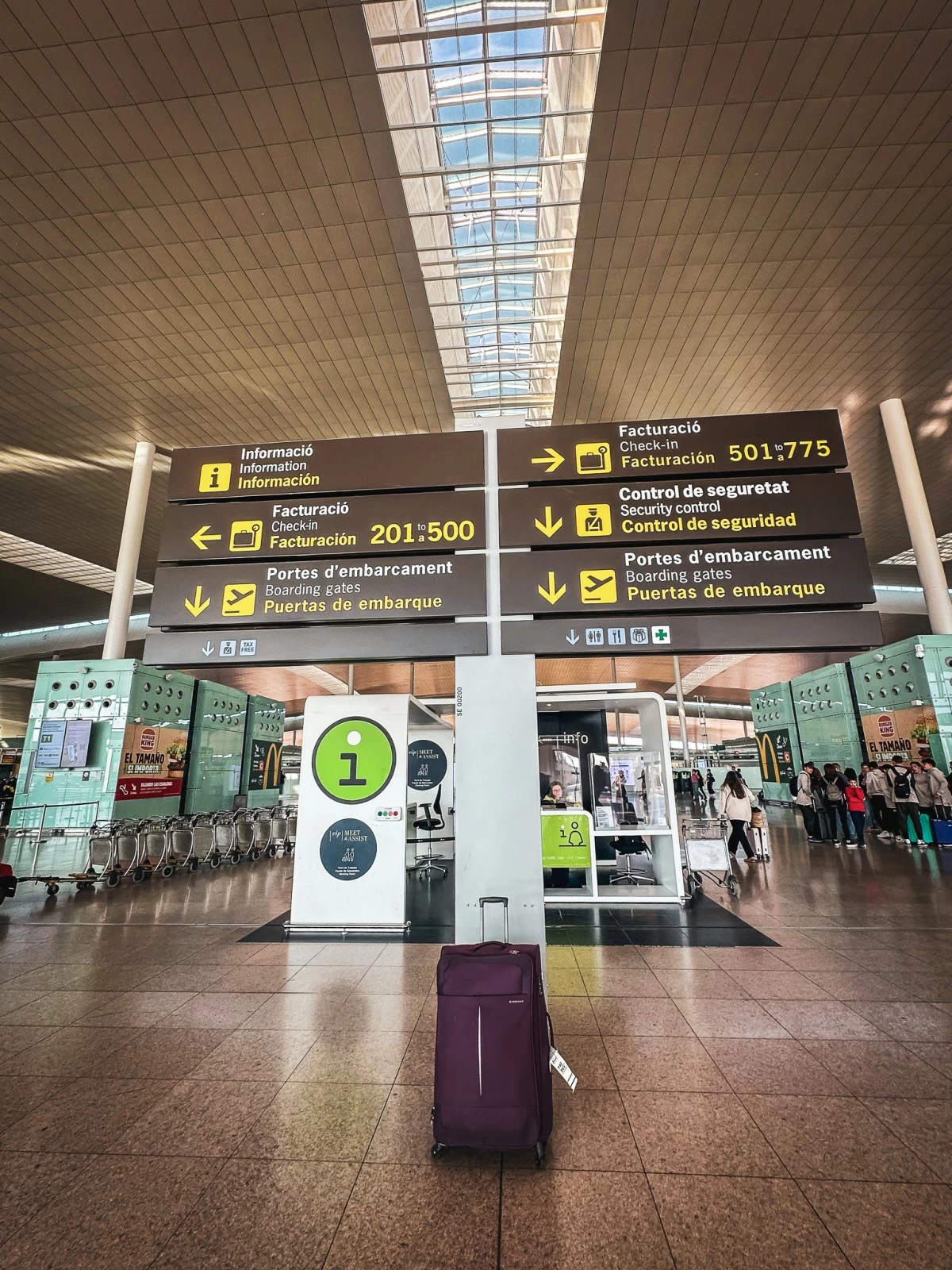
Image by Kap Maceda Aguila

The airport: our gateway to travel and often a much-earned vacation. But once there, we are bombarded with mental load, from making sure we have our passport and ticket, to checking in on time, to going through security checks, and more. The stress of it all leaves us vulnerable.  We worry we might have forgotten, dropped, or left something at home that we actually need for the trip. 

But these days, it isn’t just physical things we should be concerned with. We also have to think about securing our personal data, because leaving it unprotected could lead to much worse things. What may surprise some travelers is that stealing information is now possible even without devices leaving their owners’ hands. The seemingly harmless act of using free airport charging ports can compromise data security.

Just as travelers should be wary of connecting to free Wi-Fi options, they should equally be cautious of recharging gadgets through these available ports. The Transportation Security Administration (TSA) of the United States reports that doing so could result in malware being installed into gadgets. This type of software can lead to unauthorized access to personal data or disrupt a device’s operation.  

The term for the criminal act is called “juice jacking” or “port jacking.” While a gadget is connected, malicious software infiltrates gadgets or enables hackers to access the personal data, bank applications, e-mail, and social media profiles of other people. This increases the risk of these being compromised, money being lost, or profiles being used without permission. 

There are instances when travelers were hacked through RFID (Radio Frequency Identification) - the chips used in credit cards or employee badges to provide access or enable processing of transactions. Hackers are able to collect information and clone credit cards, for example, and make unauthorized transactions with these. Building security can also be compromised by criminals who steal credentials from workers of a specific property. This enables them to access a company’s premises, for example, and even gain access to its internal systems. 

Amidst these threats, the good news is that travelers have several options to protect themselves from these nefarious characters.

Here are some tips: 


  • Your Trusty Power Bank. The power banks you own are safest as they are, well, yours. Before leaving, make sure these are charged to an optimal level so they can be dependable during your travel.
  • Check for Red Flags. If you are left with no choice, inspect the charging point for any signs of tampering. Check your gadget’s screen from time to time, if it asks you to trust a device you have to connect with, for example. If you did not initiate such an action, decline the option. Common sense dictates that you need not connect to another device if you only need to charge a gadget.
  • Go Traditional. Why not bring an AC charger and use the wall outlets? There are airports that provide this option and experts consider this a safer way to charge devices.
  • Charge at Home. Make it a habit to fully charge devices before you leave for the airport. Doing so gives you one less thing to worry about, especially if you know that charging spots can get too crowded.
  • Rest Your Devices (and Your Eyes). While the wait for your flight could be long (and boring), use the time to do something else. Talk to people you’re traveling with, bring a book, make a list of your travel must-buys and must-dos, or enjoy people-watching. Some of us are often too glued to our screens, so it’s a good time to rest your gadgets and rest your eyes away from the screen.
  • Be notified. Secure your credit card transactions by enabling two-factor authentications and signing up for transaction alerts to be sent to your mobile phone. Banks include warnings in notification text messages and give you the number to call in case you notice an unauthorized transaction.
  • Invest in your protection. It’s better to be safe than sorry, right? Consider protecting your cards by getting an RFID-blocking wallet to block hackers from getting your information.
ADVERTISEMENT
.most-popular .layout-ratio{ padding-bottom: 79.13%; } @media (min-width: 768px) and (max-width: 1024px) { .widget-title { font-size: 15px !important; } }

{{ articles_filter_1561_widget.title }}

.most-popular .layout-ratio{ padding-bottom: 79.13%; } @media (min-width: 768px) and (max-width: 1024px) { .widget-title { font-size: 15px !important; } }

{{ articles_filter_1562_widget.title }}

.most-popular .layout-ratio{ padding-bottom: 79.13%; } @media (min-width: 768px) and (max-width: 1024px) { .widget-title { font-size: 15px !important; } }

{{ articles_filter_1563_widget.title }}

{{ articles_filter_1564_widget.title }}

.mb-article-details { position: relative; } .mb-article-details .article-body-preview, .mb-article-details .article-body-summary{ font-size: 17px; line-height: 30px; font-family: "Libre Caslon Text", serif; color: #000; } .mb-article-details .article-body-preview iframe , .mb-article-details .article-body-summary iframe{ width: 100%; margin: auto; } .read-more-background { background: linear-gradient(180deg, color(display-p3 1.000 1.000 1.000 / 0) 13.75%, color(display-p3 1.000 1.000 1.000 / 0.8) 30.79%, color(display-p3 1.000 1.000 1.000) 72.5%); position: absolute; height: 200px; width: 100%; bottom: 0; display: flex; justify-content: center; align-items: center; padding: 0; } .read-more-background a{ color: #000; } .read-more-btn { padding: 17px 45px; font-family: Inter; font-weight: 700; font-size: 18px; line-height: 16px; text-align: center; vertical-align: middle; border: 1px solid black; background-color: white; } .hidden { display: none; }
function initializeAllSwipers() { // Get all hidden inputs with cms_article_id document.querySelectorAll('[id^="cms_article_id_"]').forEach(function (input) { const cmsArticleId = input.value; const articleSelector = '#article-' + cmsArticleId + ' .body_images'; const swiperElement = document.querySelector(articleSelector); if (swiperElement && !swiperElement.classList.contains('swiper-initialized')) { new Swiper(articleSelector, { loop: true, pagination: false, navigation: { nextEl: '#article-' + cmsArticleId + ' .swiper-button-next', prevEl: '#article-' + cmsArticleId + ' .swiper-button-prev', }, }); } }); } setTimeout(initializeAllSwipers, 3000); const intersectionObserver = new IntersectionObserver( (entries) => { entries.forEach((entry) => { if (entry.isIntersecting) { const newUrl = entry.target.getAttribute("data-url"); if (newUrl) { history.pushState(null, null, newUrl); let article = entry.target; // Extract metadata const author = article.querySelector('.author-section').textContent.replace('By', '').trim(); const section = article.querySelector('.section-info ').textContent.replace(' ', ' '); const title = article.querySelector('.article-title h1').textContent; // Parse URL for Chartbeat path format const parsedUrl = new URL(newUrl, window.location.origin); const cleanUrl = parsedUrl.host + parsedUrl.pathname; // Update Chartbeat configuration if (typeof window._sf_async_config !== 'undefined') { window._sf_async_config.path = cleanUrl; window._sf_async_config.sections = section; window._sf_async_config.authors = author; } // Track virtual page view with Chartbeat if (typeof pSUPERFLY !== 'undefined' && typeof pSUPERFLY.virtualPage === 'function') { try { pSUPERFLY.virtualPage({ path: cleanUrl, title: title, sections: section, authors: author }); } catch (error) { console.error('ping error', error); } } // Optional: Update document title if (title && title !== document.title) { document.title = title; } } } }); }, { threshold: 0.1 } ); function showArticleBody(button) { const article = button.closest("article"); const summary = article.querySelector(".article-body-summary"); const body = article.querySelector(".article-body-preview"); const readMoreSection = article.querySelector(".read-more-background"); // Hide summary and read-more section summary.style.display = "none"; readMoreSection.style.display = "none"; // Show the full article body body.classList.remove("hidden"); } document.addEventListener("DOMContentLoaded", () => { let loadCount = 0; // Track how many times articles are loaded const offset = [1, 2, 3, 4, 5, 6, 7, 8, 9, 10]; // Offset values const currentUrl = window.location.pathname.substring(1); let isLoading = false; // Prevent multiple calls if (!currentUrl) { console.log("Current URL is invalid."); return; } const sentinel = document.getElementById("load-more-sentinel"); if (!sentinel) { console.log("Sentinel element not found."); return; } function isSentinelVisible() { const rect = sentinel.getBoundingClientRect(); return ( rect.top < window.innerHeight && rect.bottom >= 0 ); } function onScroll() { if (isLoading) return; if (isSentinelVisible()) { if (loadCount >= offset.length) { console.log("Maximum load attempts reached."); window.removeEventListener("scroll", onScroll); return; } isLoading = true; const currentOffset = offset[loadCount]; window.loadMoreItems().then(() => { let article = document.querySelector('#widget_1690 > div:nth-last-of-type(2) article'); intersectionObserver.observe(article) loadCount++; }).catch(error => { console.error("Error loading more items:", error); }).finally(() => { isLoading = false; }); } } window.addEventListener("scroll", onScroll); });

Sign up by email to receive news.