







You can now tap with GCash
Published Aug 19, 2025 06:38 pm


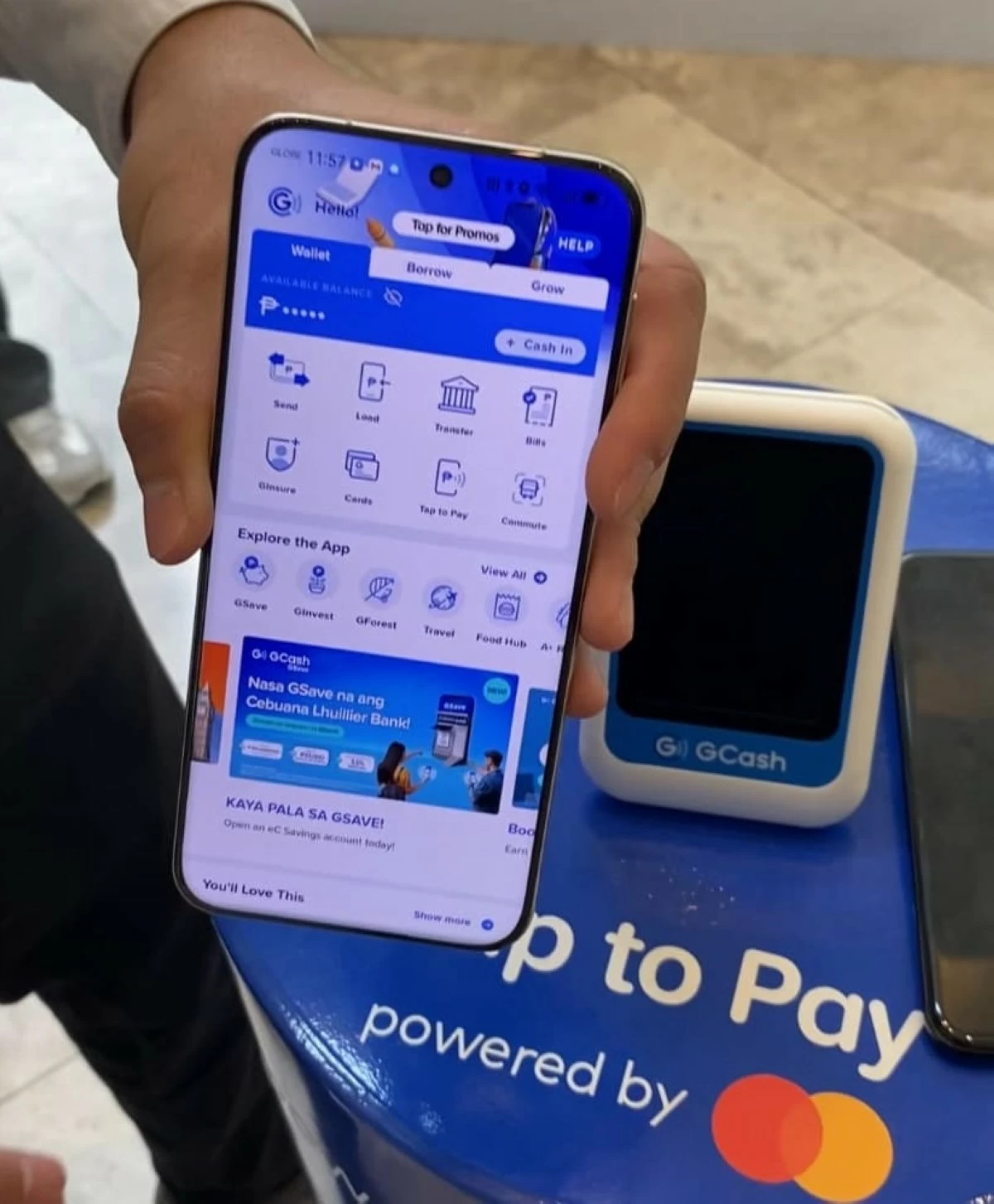
Have you been in another country and seen people use their phones to pay for something in a store? No, not scanning a QR code. Tapping the phone on a point of sale device. A transaction done in a few seconds.
GCash has recently brought that feature to the Philippines. All you have to do is open your GCash app, wait for the merchant to prepare their point of sale terminal, and tap. Just like that. It's done. No more scanning.
It's important to note that as of now GCash's Tap to Pay feature is only available for Android devices, and devices that support NFC. Apple users will have to wait for the moment. An update will come eventually.
The idea behind this is to make transactions faster and more seamless. Gcash and QR scanning made it possible to leave the house without cash. Tap to Pay is the natural next progression. It cuts down steps, such as generating a code to scan, and the process of scanning itself. With Tap to Pay, you just tap, less steps, less time, less effort.
You will need to have your GCash app open for this to work. Make sure you tap on the hide icon, the "eye" symbol above the amount of money you have in your GCash. This way, when you tap your phone, you can keep your finances private.
GCash Tap to Pay has international functionality. It will work where GCash and contactless payments are accepted.
Tap to Pay enhances the country's digital shift and provides more options for users who want to go cashless.