

ADVERTISEMENT

Google Gemini: The new era of AI chatbot, elevating Bard with advanced technologies

Google's Bard evolves into Gemini, an enhanced AI with dedicated Android app and upgraded services for a seamless digital experience

Published Feb 9, 2024 11:34 pm

At A Glance

  • Google has rebranded its AI chatbot from Bard to Gemini. Bard, originally powered by Google's PaLM 2 language model, has transitioned to the newer and more advanced Gemini Pro Large Language Model (LLM). This strategic shift not only aligns the chatbot's identity more closely with its underlying technology but also enhances its capabilities.
  • Google has launched a dedicated Gemini app for Android devices to overcome the limitations of browser-based interactions, offering features like text prompts, image uploads, voice commands, and image generation. 
  • Initially, the Gemini app is available in the United States with English language support, but plans are in place to extend its availability to include Japanese and Korean languages, with further expansions anticipated. This broadens the service's reach and accessibility across different regions and language speakers.
  • Gemini is set to replace Google Assistant on Android devices, with a gradual transition planned to incorporate features not yet fully supported by Gemini. 

Google has announced the rebranding of its AI chatbot, Bard to Gemini. This change comes nearly a year after the tech giant introduced Bard as a direct competitor to OpenAI's ChatGPT, signaling a strategic shift in Google's approach to AI-powered services.

Originally powered by Google's PaLM 2 language model, Bard has transitioned to the newer and more advanced Gemini Pro LLM, marking a pivotal upgrade in its capabilities. The rebranding effort aims to align the chatbot's identity more closely with the underlying technology, a strategy reminiscent of OpenAI's naming convention with ChatGPT and its GPT platform.
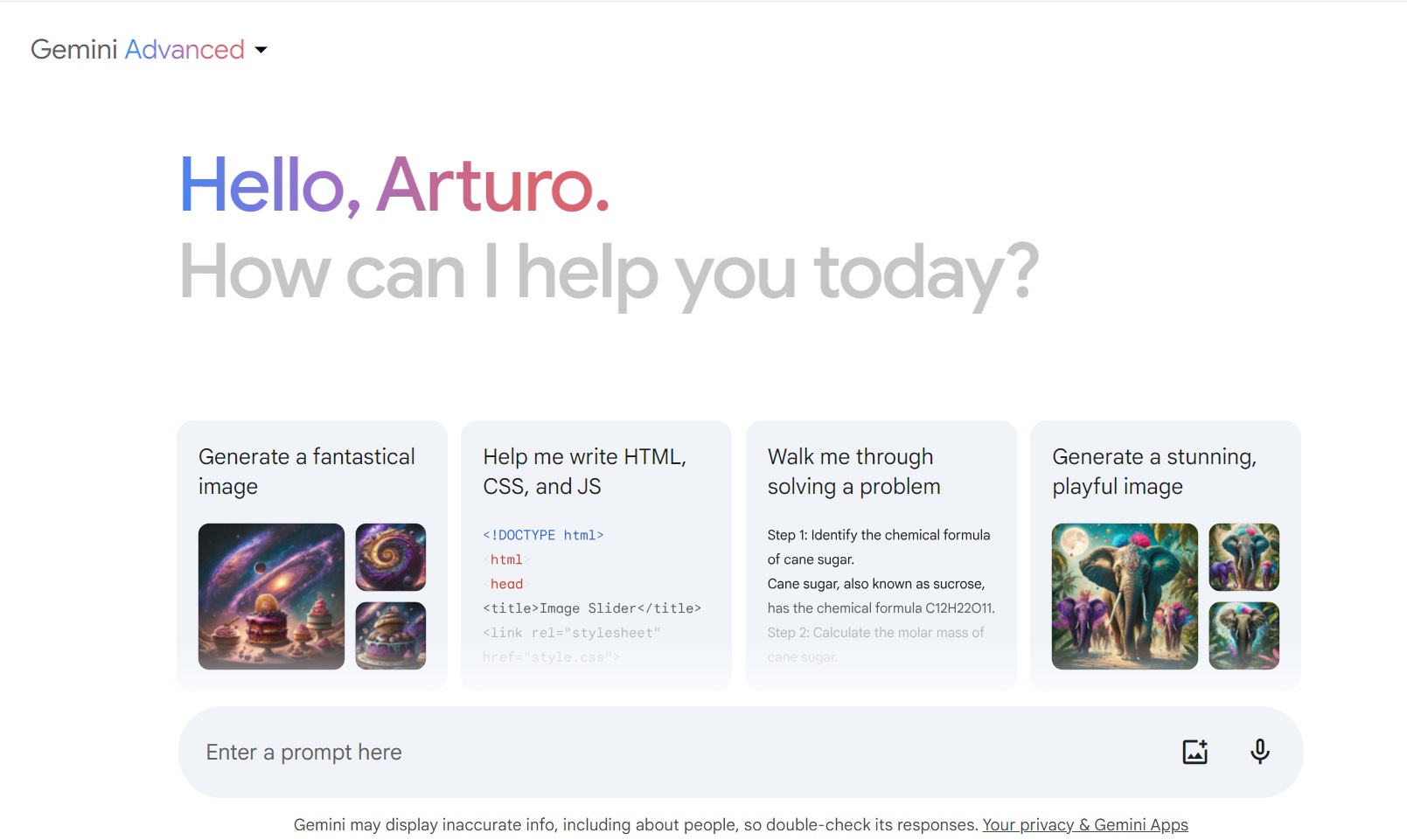
gemini.jpg
Google gave MB Technews access to Gemini Advanced via my account.


With this transition, users will now access the service via gemini.google.com. You will be redirected to the new URL if you're used to going to bard.google.com. Google assures that the core functionalities of the service remain intact, offering a seamless experience across the same range of languages and countries previously supported by Bard.

In addition to the rebranding, Google is enhancing user accessibility by launching a dedicated Gemini app for Android devices. This move addresses the limitations of browser-based interactions on mobile phones, providing a more integrated and user-friendly platform for engaging with Gemini's features, including text prompts, image uploads, voice commands, and image generation. While the app is currently available only in the United States with English language support, Google plans to extend its availability to include Japanese and Korean languages, with further expansions on the horizon.

For iOS users, Google has opted against a standalone app, instead integrating Gemini functionality into the existing iOS Google app. This integration will allow iPhone users to access Gemini tools directly, with language support and regional availability mirroring the Android app.

Google is positioning Gemini to replace Google Assistant on Android devices, prompting users to opt for Gemini as their default digital assistant. While Gemini promises to perform a broad array of tasks traditionally handled by Assistant, Google acknowledges that the transition will be gradual, with ongoing efforts to incorporate features not yet fully supported by Gemini.

According to Mervin Wenke, Google Philippines' head of communications and public affairs, the introduction of Gemini Advanced, a paid version of the service, signifies Google's commitment to offering a more robust AI tool capable of handling complex tasks and nuanced prompts.

Gemini Advanced uses Google's most sophisticated AI model, Ultra 1.0, delivering more advanced capabilities than Gemini Basic. These abilities span in-depth coding help, brainstorming for creative works, tailoring educational plans to individual needs, and powerful information analysis for thorough research. Furthermore, Gemini Advanced truly comes to life through its dedicated mobile app, as it grants the ability to use AI directly on photos, summarize content on the go, and even interact with smart home devices—truly putting sophisticated AI technology in your pocket, making Gemini a mobile-focused generative AI.

Initially aimed at business customers, Google's Duet AI suite is now being rebranded under the Gemini umbrella and made available to consumers through the Google One AI Premium plan. This expansion will bring advanced AI tools to popular Google applications like Gmail, Sheets, Docs, Slides, and Meet, further integrating AI into everyday productivity and communication tasks.

As Google continues to evolve its AI offerings, the rebranding to Gemini and the Android app launch represent critical steps toward a more integrated and accessible AI ecosystem for users worldwide.

ADVERTISEMENT
.most-popular .layout-ratio{ padding-bottom: 79.13%; } @media (min-width: 768px) and (max-width: 1024px) { .widget-title { font-size: 15px !important; } }

{{ articles_filter_1561_widget.title }}

.most-popular .layout-ratio{ padding-bottom: 79.13%; } @media (min-width: 768px) and (max-width: 1024px) { .widget-title { font-size: 15px !important; } }

{{ articles_filter_1562_widget.title }}

.most-popular .layout-ratio{ padding-bottom: 79.13%; } @media (min-width: 768px) and (max-width: 1024px) { .widget-title { font-size: 15px !important; } }

{{ articles_filter_1563_widget.title }}

{{ articles_filter_1564_widget.title }}

.mb-article-details { position: relative; } .mb-article-details .article-body-preview, .mb-article-details .article-body-summary{ font-size: 17px; line-height: 30px; font-family: "Libre Caslon Text", serif; color: #000; } .mb-article-details .article-body-preview iframe , .mb-article-details .article-body-summary iframe{ width: 100%; margin: auto; } .read-more-background { background: linear-gradient(180deg, color(display-p3 1.000 1.000 1.000 / 0) 13.75%, color(display-p3 1.000 1.000 1.000 / 0.8) 30.79%, color(display-p3 1.000 1.000 1.000) 72.5%); position: absolute; height: 200px; width: 100%; bottom: 0; display: flex; justify-content: center; align-items: center; padding: 0; } .read-more-background a{ color: #000; } .read-more-btn { padding: 17px 45px; font-family: Inter; font-weight: 700; font-size: 18px; line-height: 16px; text-align: center; vertical-align: middle; border: 1px solid black; background-color: white; } .hidden { display: none; }
function initializeAllSwipers() { // Get all hidden inputs with cms_article_id document.querySelectorAll('[id^="cms_article_id_"]').forEach(function (input) { const cmsArticleId = input.value; const articleSelector = '#article-' + cmsArticleId + ' .body_images'; const swiperElement = document.querySelector(articleSelector); if (swiperElement && !swiperElement.classList.contains('swiper-initialized')) { new Swiper(articleSelector, { loop: true, pagination: false, navigation: { nextEl: '#article-' + cmsArticleId + ' .swiper-button-next', prevEl: '#article-' + cmsArticleId + ' .swiper-button-prev', }, }); } }); } setTimeout(initializeAllSwipers, 3000); const intersectionObserver = new IntersectionObserver( (entries) => { entries.forEach((entry) => { if (entry.isIntersecting) { const newUrl = entry.target.getAttribute("data-url"); if (newUrl) { history.pushState(null, null, newUrl); let article = entry.target; // Extract metadata const author = article.querySelector('.author-section').textContent.replace('By', '').trim(); const section = article.querySelector('.section-info ').textContent.replace(' ', ' '); const title = article.querySelector('.article-title h1').textContent; // Parse URL for Chartbeat path format const parsedUrl = new URL(newUrl, window.location.origin); const cleanUrl = parsedUrl.host + parsedUrl.pathname; // Update Chartbeat configuration if (typeof window._sf_async_config !== 'undefined') { window._sf_async_config.path = cleanUrl; window._sf_async_config.sections = section; window._sf_async_config.authors = author; } // Track virtual page view with Chartbeat if (typeof pSUPERFLY !== 'undefined' && typeof pSUPERFLY.virtualPage === 'function') { try { pSUPERFLY.virtualPage({ path: cleanUrl, title: title, sections: section, authors: author }); } catch (error) { console.error('ping error', error); } } // Optional: Update document title if (title && title !== document.title) { document.title = title; } } } }); }, { threshold: 0.1 } ); function showArticleBody(button) { const article = button.closest("article"); const summary = article.querySelector(".article-body-summary"); const body = article.querySelector(".article-body-preview"); const readMoreSection = article.querySelector(".read-more-background"); // Hide summary and read-more section summary.style.display = "none"; readMoreSection.style.display = "none"; // Show the full article body body.classList.remove("hidden"); } document.addEventListener("DOMContentLoaded", () => { let loadCount = 0; // Track how many times articles are loaded const offset = [1, 2, 3, 4, 5, 6, 7, 8, 9, 10]; // Offset values const currentUrl = window.location.pathname.substring(1); let isLoading = false; // Prevent multiple calls if (!currentUrl) { console.log("Current URL is invalid."); return; } const sentinel = document.getElementById("load-more-sentinel"); if (!sentinel) { console.log("Sentinel element not found."); return; } function isSentinelVisible() { const rect = sentinel.getBoundingClientRect(); return ( rect.top < window.innerHeight && rect.bottom >= 0 ); } function onScroll() { if (isLoading) return; if (isSentinelVisible()) { if (loadCount >= offset.length) { console.log("Maximum load attempts reached."); window.removeEventListener("scroll", onScroll); return; } isLoading = true; const currentOffset = offset[loadCount]; window.loadMoreItems().then(() => { let article = document.querySelector('#widget_1690 > div:nth-last-of-type(2) article'); intersectionObserver.observe(article) loadCount++; }).catch(error => { console.error("Error loading more items:", error); }).finally(() => { isLoading = false; }); } } window.addEventListener("scroll", onScroll); });

Sign up by email to receive news.