







Safer Internet Month reminds us to stay vigilant


At A Glance
- It's essential to stay informed about the evolving threats in cyberspace. The increased searches for terms like "malinformation," "cybercrime," "phishing," "malware," "fraud," "scan," "one-time password," and "password strength" in the Philippines indicate growing user awareness and interest in cybersecurity, underscoring the need for continuous education on digital threats.
- Users are advised to enable auto-updates for their devices to ensure they have the latest operating system versions with the most recent security features. For Android users, checking that Google Play Protect is enabled is crucial for protecting against malicious apps.
- Employing a password manager is recommended for securely storing and managing passwords across different accounts. These tools not only ease the burden of remembering multiple passwords but also enhance security by generating strong passwords and alerting users to potential data breaches. Google offers a free built-in Password Manager.
- Passkeys offer a modern and secure method of account authentication, utilizing biometrics like fingerprints or face IDs and eliminating the need for traditional passwords. This technology makes unauthorized access more difficult, as the authentication information is stored on the user's device.
- Regularly reviewing account security through tools like Google's Security Checkup is vital for understanding which devices are connected to your accounts and managing two-factor authentication settings. Additionally, reviewing and adjusting the data-sharing settings for third-party apps and platforms is crucial for maintaining control over personal information.
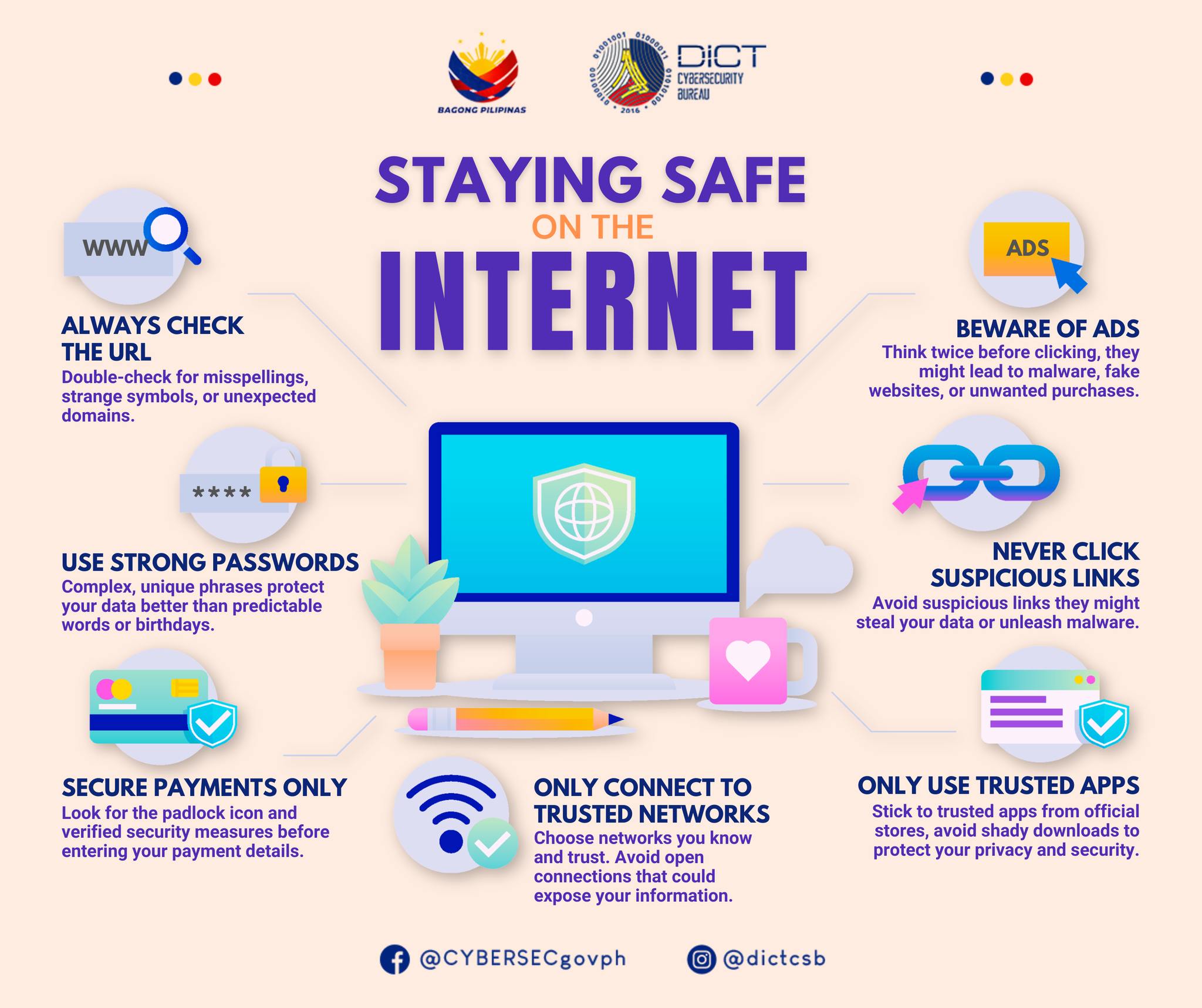
February is Safety Internet Month. As the threat of cyberspace continues to evolve, we too, in our own homes with all our devices connected to the internet, need to keep a lookout for anything suspicious within our screens.
It starts with raising awareness and continued learning of the changes in the digital space. Google has recently reported that, in the Philippines, the most searched for words are: “Malinformation,” cybercrime, phishing, malware, fraud, scan, one-time password, and password strength. For Google, this means user awareness and interest in cybersecurity is growing. But there is still much work to do. Cybercriminals will continue to find new ways to steal data and gain from it.
And so, here are tips to protect yourself from online threats.
Update, always update: Google recommends turning on auto-update to ensure your mobile devices and computers have the latest OS that comes with the latest security. For Android devices, remember to double check if Google Play Protect is enabled. This protects your device from malicious apps.
Password Manager isn’t a bad idea: A password manager will store all your passwords across your accounts. It eases your burden of having to write these passwords down on a piece of paper and then lose it after a couple of weeks. A password manager is encrypted, and you will only need to remember one password to access all your other passwords. On top of that, a password manager can generate strong passwords for you. They will also let you know if your password has been exposed to any data breaches. Some password managers cost money. But Google’s Password Manager is free and built-in to your account.
Ever heard of Passkeys: Passkeys are newer ways to secure your account, they involve fingerprints or face IDs. They also eliminate the need for passwords, as some platforms can verify your account and your identity through passkeys. This information is stored in your device, so even if someone attempts to login from another device, they will have a much harder time in doing so with passkeys.
Run Security Checkups: Google comes with Security Checkups. This is a feature that allows you to review your account. How many and what devices are your account currently on? How many mobile numbers are currently in your 2FAs? That last one spooked me, because coming off from experience, I discovered a second number that isn’t connected to me or anyone I know. So, it’s always pays to spend a few minutes to check.
Review data settings: Besides the Security Checkup tool, double check all your settings for all third-party apps and platforms to see that you’re comfortable with the data you’re sharing and with whom. Your account might still be logged in to a website you’ve signed up to from over five years ago untouched but still gathering your data.
Avoid links: As a personal rule, I avoid links sent to me directly, be it SMS or from any other platforms. If I really have to, I make sure it’s legit by using software and apps. Google Chrome has Safe Browsing, Kaspersky and Trend Micro have apps that can scan website links.
Don’t give in to pressure: Scammers and fraudsters will create a sense of urgency. Any moment where you’re put on the spot, being pressured, or being rushed to make a decision, maybe it’s time to take a moment to access things with a clear head. If you’re not being given time to think, then there is a possibility something shady is going on.
Check the facts: Misinformation is dangerous on its own. It has the power to sway and drive the public. So, always check the information you’re about to post or share. Check its source to see how accurate it is or try to get the bigger picture of what’s happening. Most things posted and shared online are out-of-context.
Connect to trusted networks: Our own DICT reminds us to connect only to trusted networks. This means, your own network. Your home WiFi network. Probably your friend’s. Any public WiFi hotspot you see is a potential portal for hackers to break into your system. For instance, a hacker can use a device built with cheap components that can be bought in online stores, can be used to create fake WiFi hotspots, it would lead you to a fake page of one of your apps – probably TikTok or Facebook –- and ask for your login credentials. A fake WiFi hotspot will look legit and will probably use the same name of its location, like a mall, to get your guard down a little.
Beware of ads: It is easy for people to place ads in social media, one that can lead to websites with malicious intentions. So, think twice before clicking.
Only use trusted apps from trusted sources: If you’re not too deep into technology, then there’s probably no reason for you to find ways to install apps that aren’t normally available in the stores where you download them. For desktop, double check where you’re downloading your software.
Call your bud: In some cases, you might receive an urgent call from your friend or family member. It could be an accident, or anything that might shock your senses. They could be abroad calling for help. They will need money right away for this and that. They might ask you for a code that was sent to you. When this happens, call them, and make sure it’s actually them you’re talking to, just in case it’s a scammer trying to pose for someone you care about.
That wraps our tips in enhancing your online security. If you can toss in internet security with features that would allow you to pay safely and password manager, it all the better. None of this is foolproof. But remaining aware will significantly reduce your risks.