







The HUAWEI MatePad Pro is an elegant and a powerful productivity tool


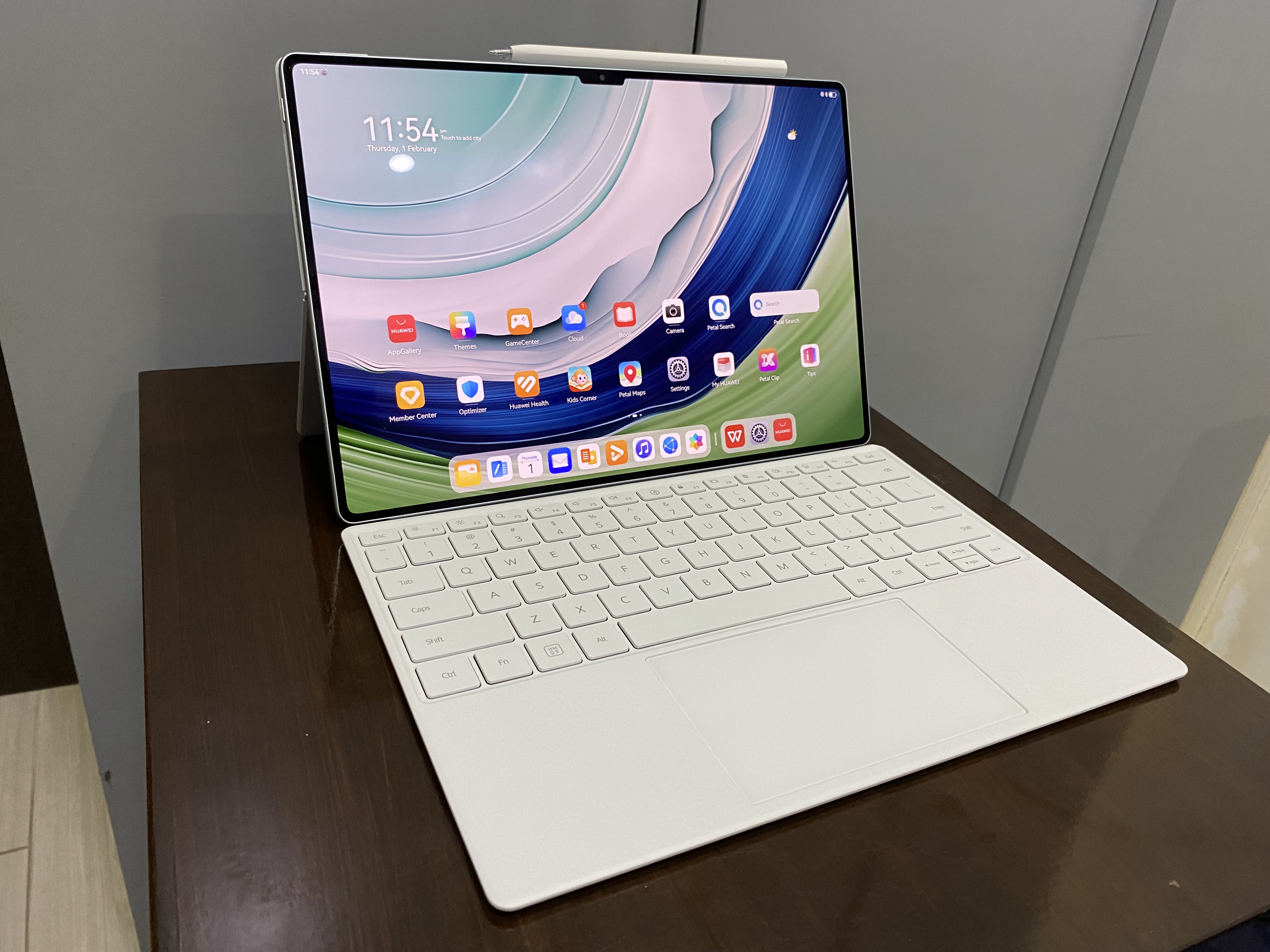
I believe this is my first review of a HUAWEI device in a very long time. I’ve been using the HUAWEI MatePad Pro for the entire week,
The MatePad Pro is a tablet that HUAWEI is offering as an alternative if you want to remain productive while on the go. There’s the M-Pencil and the Smart Magnetic Keyboard to make things as comfortable as possible.
The build quality is nowhere near midrange. It’s a build quality that speaks highly of itself and knows it can walk the talk. It feels premium to hold and its OLED display is among the best I’ve seen.
And speaking of that OLED display, it is an absolute pleasure to look at. It has 1,000-nit OLED and with 2880x1920. The colors are rich and vibrant, but not in an overpowering way. Watching videos with OLED made it very hard for me to go back. And I feel there is more importance in this than simply having the coolest and hottest thing out right now. If you were working all day, it would be important to have a great screen to look at.
The MatePad Pro uses HUAWEI’s own Kirin 9000W, which has its own standout performance being one of the best chips out there, bringing plenty of power and speed into the tablet. You’ve got 12GB of RAM and up to 512GB of storage. This is plenty for me. All I do anyway is write.
I’ve mentioned earlier the MatePad Pro has two crucial accessories, the M-Pencil and the Smart Magnetic Keyboard. These two aren’t required for using the MatePad Pro. The tablet can very much stand on its own without these two. But having them adds a deeper layer of productivity.
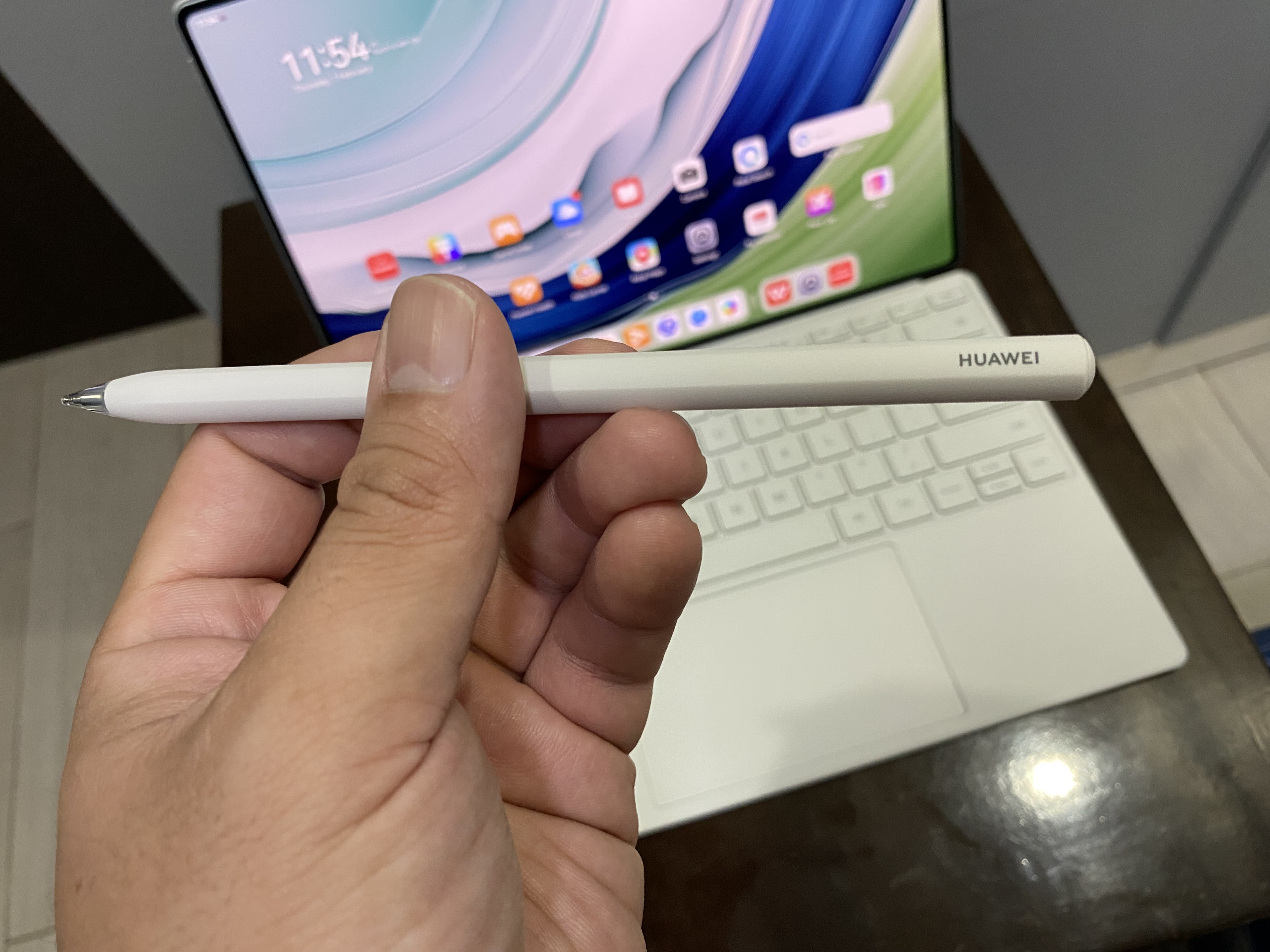
When I first started using the M-Pencil, the first thing that came to thought was: Finally, I’ll be able to sign any PDF docs without going through several painful steps. That’s what I’ve always liked in styluses. The omnipotent ability to sign documents with ease. It’s just... a wonderful experience. Of course, the M-Pencil is more than that. It’s a tool for artists. While I’m no great artist myself, I have toyed around with the MatePad Pro’s drawing apps and from my limited skills and knowledge in drawing, I can say the M-Pencil is one of the best you can ever use. The M-Pencil is very comfortable. The touch input from pen to screen is almost nonexistent and I can see myself using both the M-Pencil and tablet to write down notes with ease. It’s smooth and fast, but most of all, comfortable. It attaches on the top of the MatePad, just above the side of the camera, and the M-Pencil can be attached on to any of its side.
If you use the M-Pencil, you can pull out a wheel from the upper right corner of the screen. You add annotations and doodle around if you want. It’s an interesting tool to have around when needed.
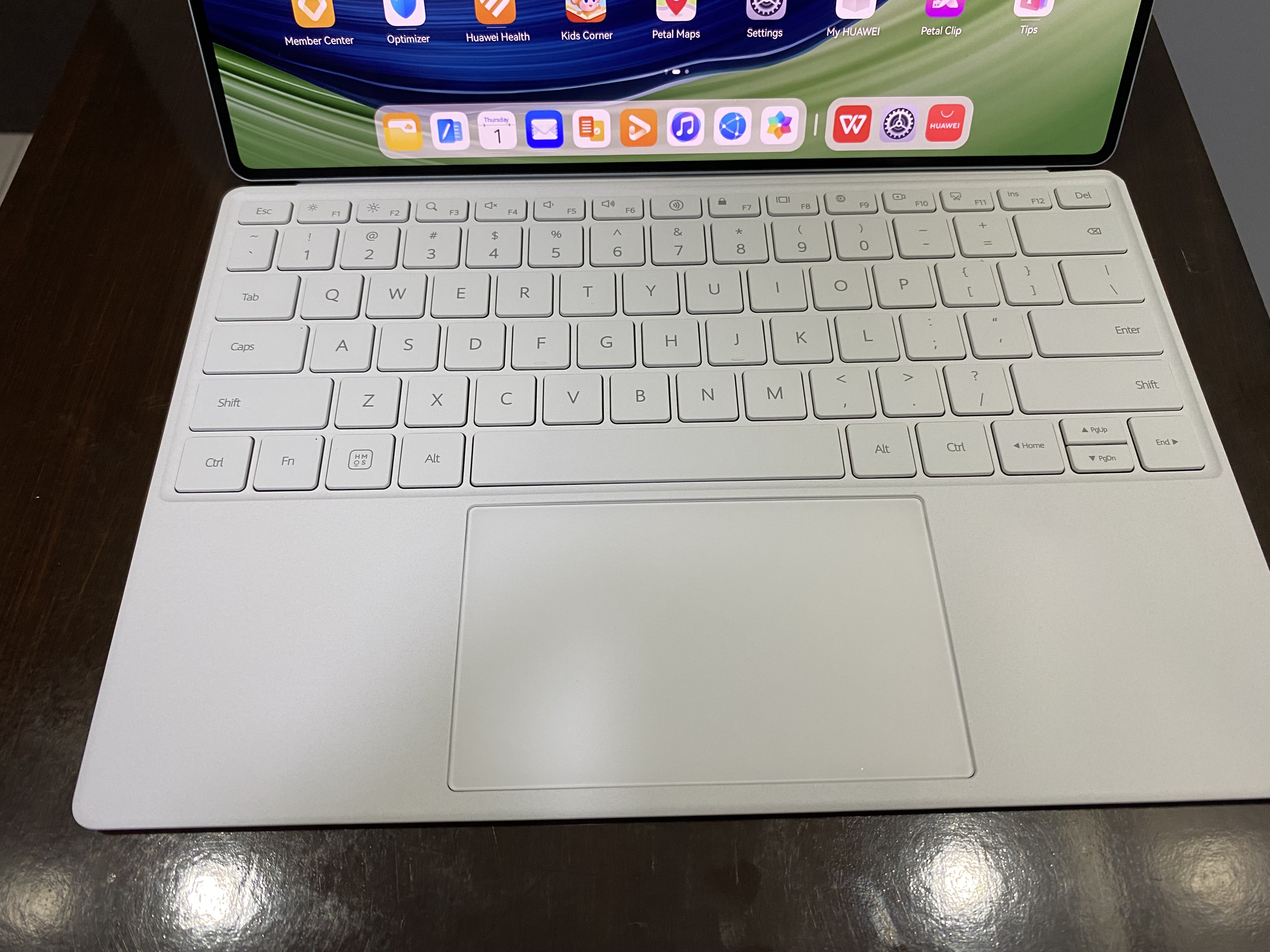
The Smart Magnetic Keyboard is also another pleasant surprise. It’s a lot lighter than it looks – and given how it does look, you would already assume it’s already very light – and it attaches to the MatePad at ease. The keys are well placed and comfortable to type in. It is clicky and loud and I love it. The touchpad is quite spacious to navigate around the UI. Though it’s a big mental shift for me for some reason to be using a touchpad for a tablet.
My only issue, and maybe this is a nitpick, is some lack of stability when using the M-Pencil while the MatePad Pro is on its kickstand. It tilts back as you tap the screen with the M-Pencil. Maybe HUAWEI’s line of thinking is, you wouldn’t be using the M-Pencil in this situation anyway and there’s the touchpad to help you get around.
I can see myself using the MatePro as my daily productivity driver. It is gorgeous inside and out. It’s easy to use. The M-Pencil and the Smart Magnetic Keyboard make the HUAWEI MatePad Pro an even better experience overall. We’d be crazy not to give this two thumbs up. But as we often like to say, don’t just take our word for it. Go check out a HUAWEI store and give the MatePad Pro a try.