







Samsung goes plus Ultra with the android Tab S9


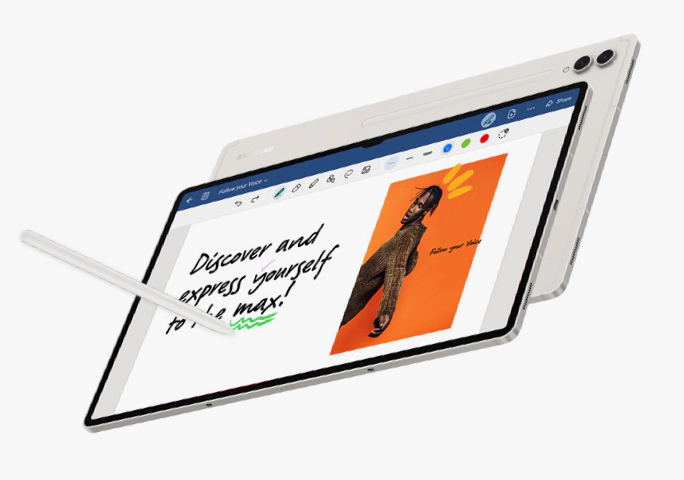
Samsung has recently launched their Galaxy Tab S9 Series: The Tab S9, S9 Plus, and the S9 Ultra.
We spent a lot of time with the biggest of them all, the Tab S9 Ultra (S9 Ultra or just Ultra from here on out.)
The Ultra is massive. It has a 14.6-inch screen that is very bright and colorful. There’s definitely a lot of space for work productivity and large enough for entertainment. Samsung has always prided their devices with multitasking features, the Note (RIP) is one of early Samsung devices that allowed you to do multiple things at once, followed by the now the new Fold series, all of those features are here on the Ultra.
The S Pen stylus that comes with it is incredibly accurate. A couple of years ago, S Pen tech back then was already impressive, and the new version is its current peak. You can very much draw and mark images with the S Pen while being comfortable and confident. The Air Commands, which you might have seen from past Samsung devices – I think it started with the Note Edge – are also here to add flexibility to your device. Also, shortcuts on the side are easily pulled out, so you reduce app clutter in the main UI.
The S Pen can magnetically attach at the back of the Ultra and charge up while it’s there. You can place the S Pen in either direction and it will be fine. Though the magnetic part is only one side, so you may have to spin it around to find the right placement.
What I’m not fully on board with is the placement of the thin magnetic strip at the back. This is where the S Pen magnetically attaches to the tablet. The strip is too precise and I’ve had to spend a couple of moments trying to find the right position without looking. At the same time, the S Pen is only magnetic on one side, so even if you found the right position for the strip but your S Pen is not facing the magnetic side, you’ll spend a little bit more time trying to readjust. Normally, this isn’t a big deal, especially for me. I’m good with a few compromises. But I imagine some people can get their guards down, anyone can accidentally leave behind their S Pen in a cafe or restaurant or office, when they’re in rush or distracted, without realizing the stylus didn’t stick right to the tablet.
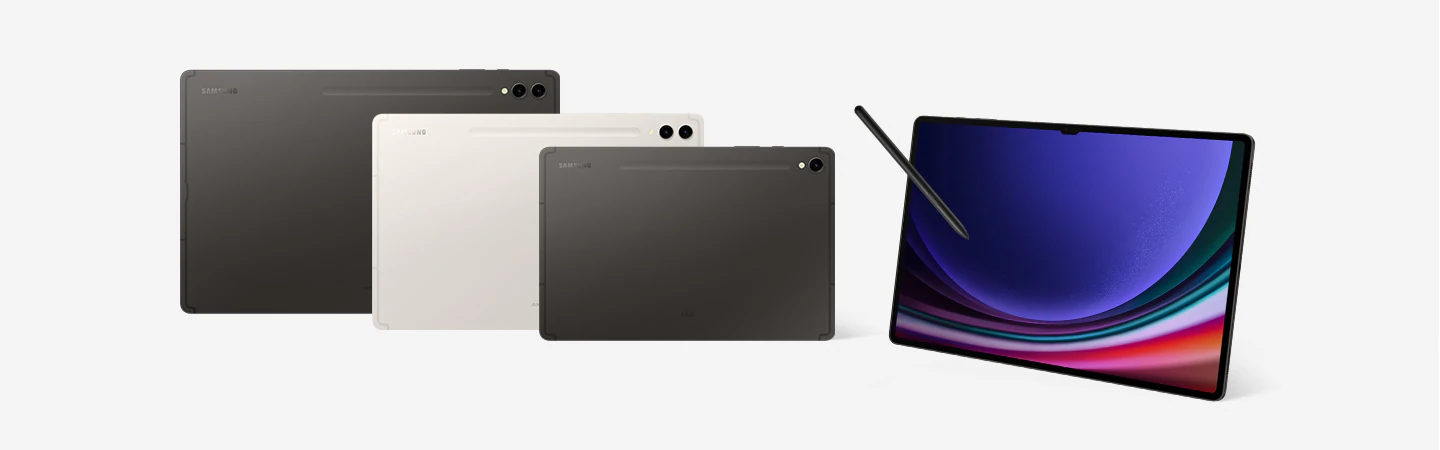
The S9 Ultra is aiming to replace your laptop. It’s a productivity tool with all the Samsung goodies you’ve been seeing in past devices, ensuring the legacy of the Note series.
There is no doubt the power residing within the S9 Ultra. It has a Snapdragon 8 Gen 2 and RAM configurations 12GB or 16GB, and a storage option up to 1TB. That Snapdragon chip alone is enough to run all the Android apps you will need without problems. It’s speedy and powerful.
Though personally, if I was a regular buyer, I would go for the Tab S9 and S9+ options instead, as their screen sizes are much more manageable for me. But I can see a lot of people loving the sheer size of the Ultra, especially if you will be using it to binge-watch all your favorite shows: Moving, anyone? Castlevania? … the live adaptation of One Piece? (which was surprisingly good, IMO).
It’s IP68 too, so you can work or watch in a bathtub or when you go vacationing and chilling in a pool. I can see a ton of people having fun with the S9 Ultra’s generous screen space.
And you can absolutely enjoy your entertainment with the S9 Ultra. It’s got a beautiful display. Even many years ago, in the age of the Galaxy S3 phones, Samsung’s screens have always been vibrant and color-rich. We’ve expected nothing less from a flagship tablet such as the S9 Ultra.
Unfortunately, the S9 Ultra unit provided to us by Samsung didn’t come with a keyboard, so I wasn’t able to experience what it's like to actually turn it into a laptop replacement. I’v always been a fan of Samsung’s DeX mode, which they have been pushing year after year with newer products. Back then, you’d need an entirely different setup. Now though, Samsung seems to have perfected the DeX mode through the S9 series. All you need is the keyboard to have that desktop/laptop experience. Again, I lament I wasn’t able to try this out.
The Samsung Galaxy Tab S9 Ultra is a fantastic tablet for productivity and entertainment. Personally, I prefer the smaller S9 or S9+ for their portability. But if you’re someone who aims to go “Plus Ultra” with their digital activities, the Samsung Galaxy Tab S9 Ultra is a solid bet.